This article will help you to
- change the title of a channel
- change the description of a channel
- change the featured image of a channel
- Click on Admin and then on the channel you want to edit.
- Click on Edit.
Channel settings
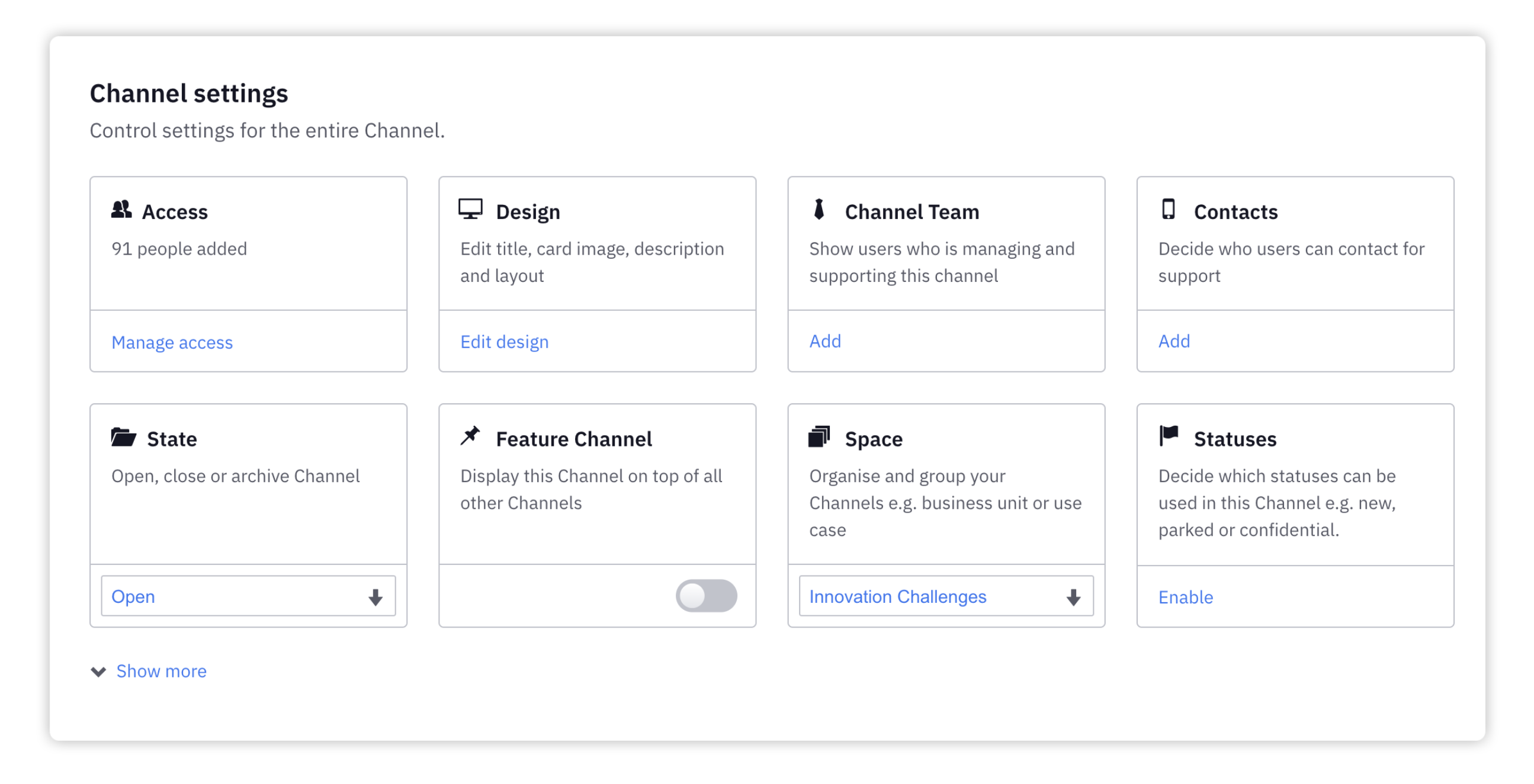
- Access - Control who can access this channel
- Design - Edit title, card image, description and layout
- Channel Team - Show users who is managing and supporting this channel
- Contacts - Decide who users can contact for support
- State - Open, close or archive a channel
- Feature Channel - Display this Channel on top of all other Channels
- Space - Organise and group your Channels e.g. business unit or use case
- Statuses - Decide which statuses can be used in this Channel e.g. new, parked or confidential.
Stage settings
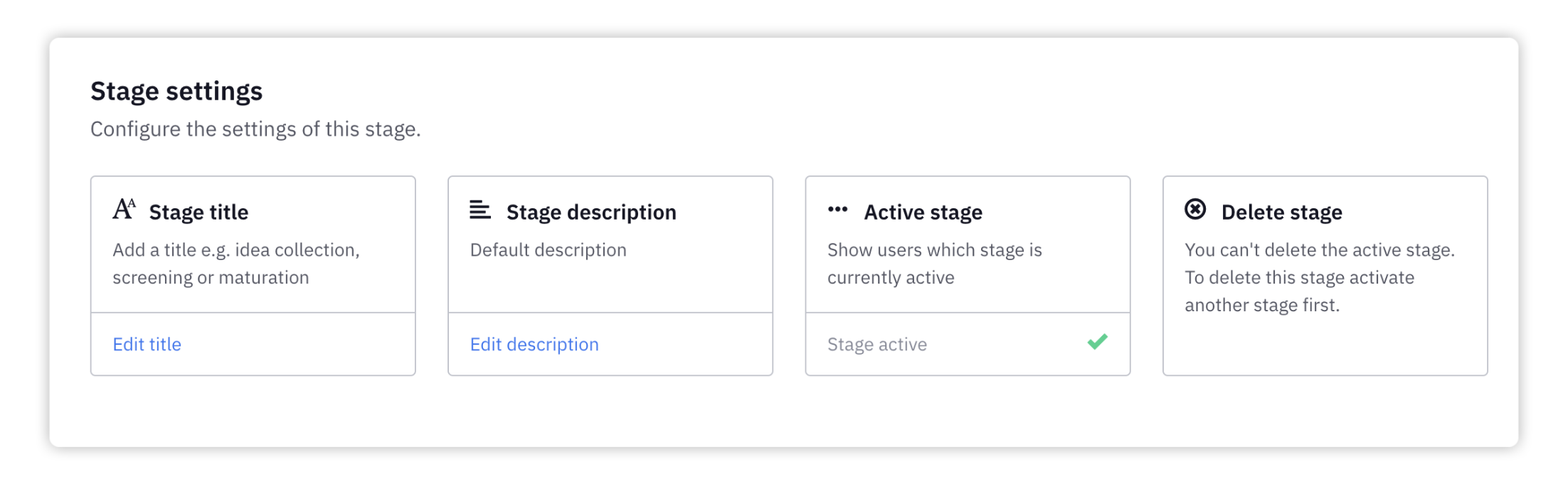
- Stage title - Give a stage a title (e.g. idea collection, screening, maturation. etc.).
- Stage description - Describe what will happen on each stage of the process.
- Active stage - Set the active stage. All ideas will by default be submitted to the active stage.
- Delete stage - You can only delete a stage, that isn't the active stage.
Evaluation settings
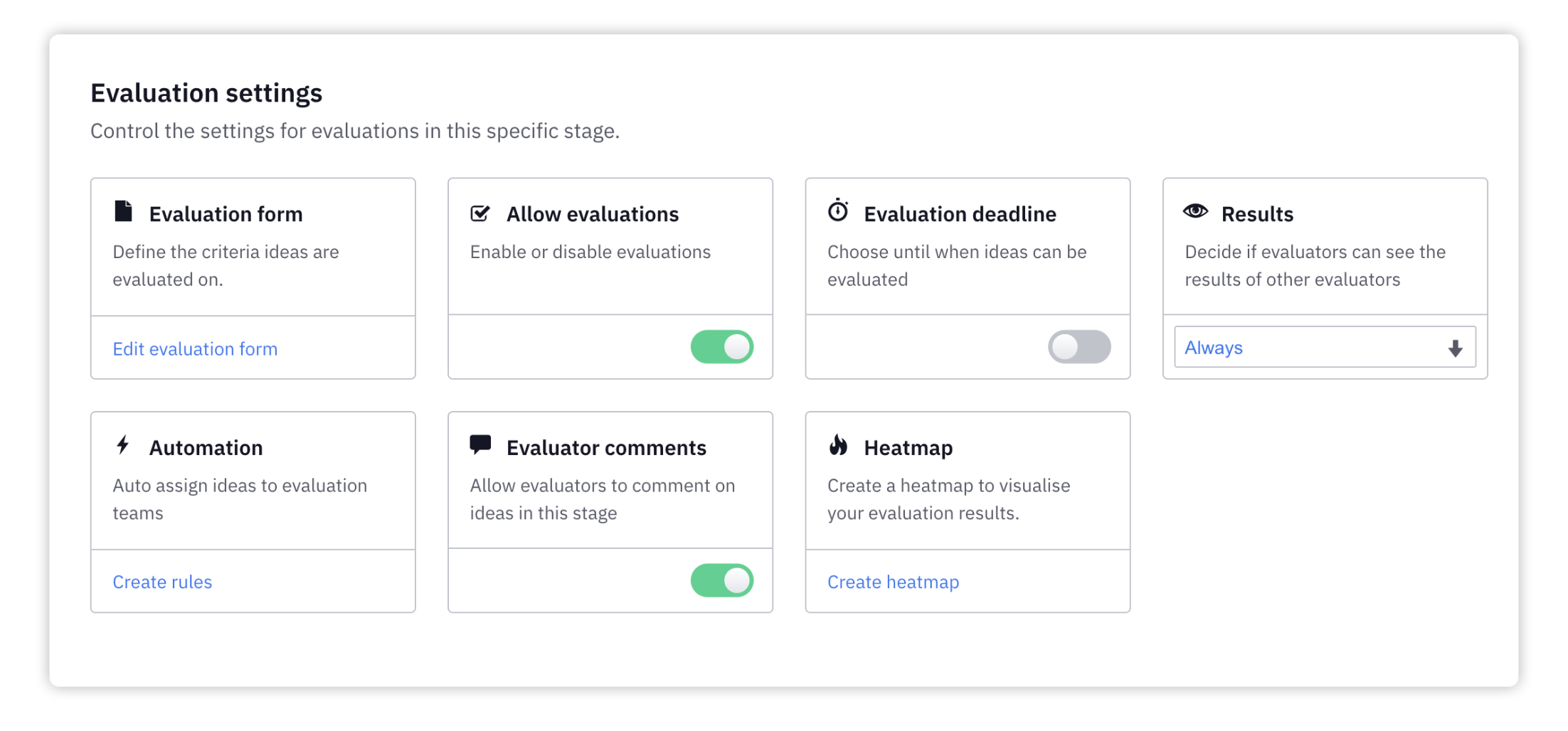
- Evaluation form - Define the criteria ideas are evaluated on.
- Allow evaluations - Enable or disable evaluations.
- Evaluation deadline - Choose until when ideas can be evaluated.
- Results - Decide if evaluators can see the results of other evaluators.
- Automation- Auto assign ideas to evaluation teams.
- Evaluator comments - Allow evaluators to comment on ideas in this stage.
- Heatmap - Create a heatmap to visualise your evaluation results.
Evaluation teams
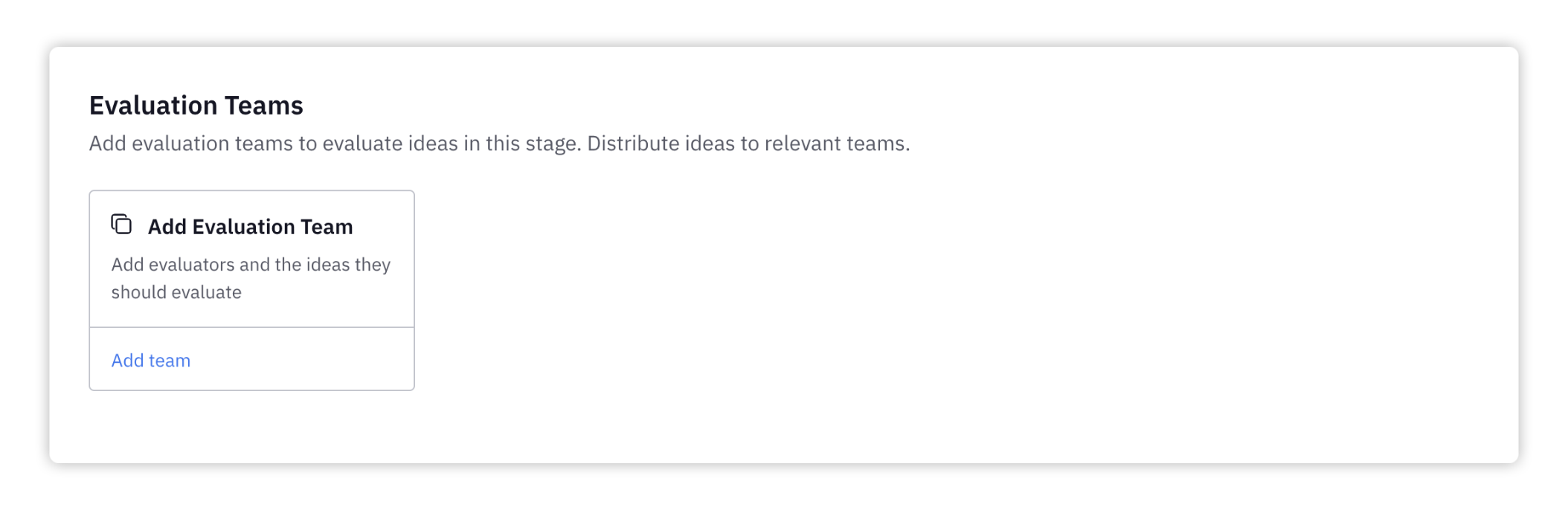
Add evaluation teams - Add evaluators and the ideas they should evaluate.
We hope this article has been useful for you.
**If you need more help,**feel free to reach us: