Get a quick overview of all ideas in your portfolio by directly downloading ideas as one pager in PDF format.
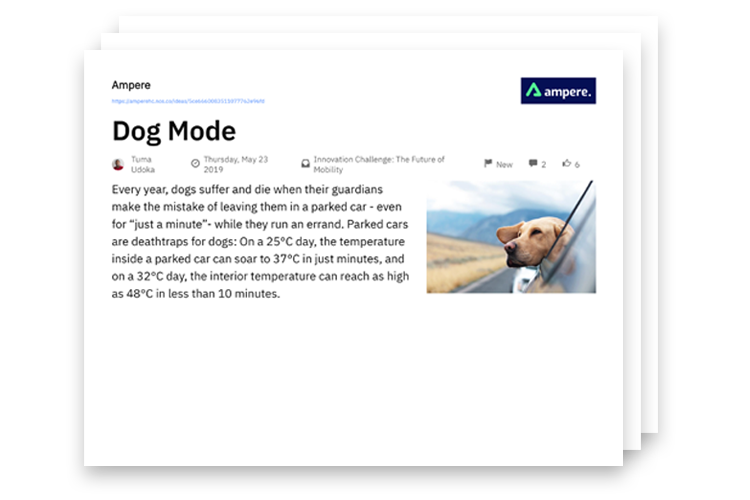
The one-pager includes basic information such as the number of comments and likes, the creation date and latest idea status, a hyperlink to the idea, and a short description and an image.
Note: The description is generated by the first 500 characters of the first text field in the idea template. The image is the first available image of the idea.
Download an idea one pager
- Click on Admin and then on thechannelin which you want to export idea one pagers.
Click on Ideas in the left navigation.
Select the ideas you want to export and then click on

in the upper right corner of the list.
Tip: Filter by Spaces, Channels, Tags and much more. Learn more about the filter here.
- Select PDF One Pagerin the list and then click onExport*.*
Note: If you use Internet Explorer or Firefox you need to change to landscape in the printer settings before you save it as PDF or print it.
We hope this article has been useful to you.
If you need more help, feel free to reach out to us.